RGB LED Web Server — Color Picker
Pick any color in the browser; the ESP32 mixes it on an RGB LED with three PWM channels.
⬇ Download the sketch
Save
Project_6_RGB_LED_Web_Server.ino, then open it in the Arduino IDE (setup: Project 0b). Remember to set your Wi‑Fi credentials.
1 · How an RGB LED works
An RGB LED is three LEDs in one. The kit's are common cathode — all three share one negative leg, each color has its own anode:

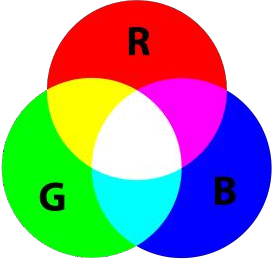
Setting each color's brightness with PWM mixes new colors:
R
G
B
R+G
G+B
R+B
R+G+B
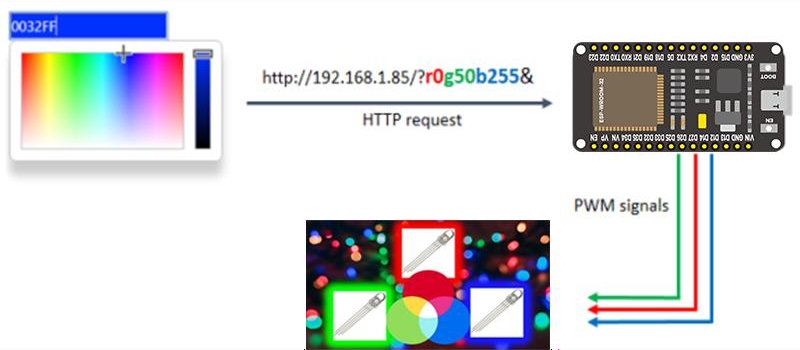
2 · How the picker talks to the ESP32
Pressing Change Color requests a URL that encodes the color:
/?r201g32b255&
The ESP32 finds the r, g, b, & markers, slices out each number, and writes it to a PWM channel:
redString   = header.substring(pos1+1, pos2);   // "201"
ledcWrite(redChannel, redString.toInt());       // 0..255
Internet note: the picker page loads Bootstrap + jsColor from the internet, so the device viewing the page needs internet the first time. The ESP32 itself only needs your local Wi‑Fi.
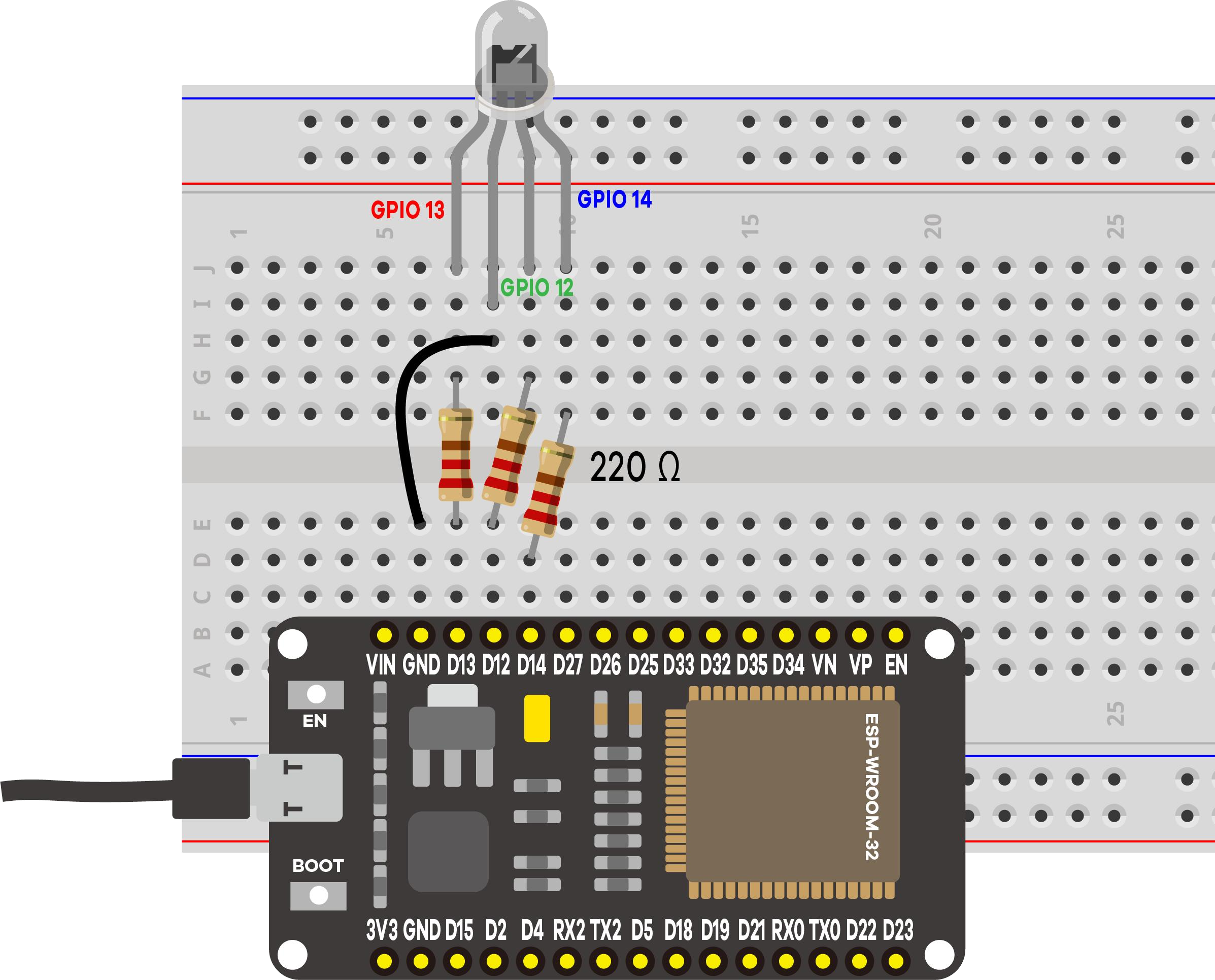
3 · Parts & wiring
| Qty | Part | Notes |
|---|---|---|
| 1 | ESP32 · breadboard · jumper wires | — |
| 1 | RGB LED (common cathode) | 4 legs |
| 3 | 220 Ω resistor | One per color |
4 · Upload & use
Set your Wi‑Fi ssid/password (2.4 GHz), upload, open Serial Monitor at 115200, press EN/RESET:
==============================================
 Project 6: ESP32 RGB LED Web Server
==============================================
RGB LED -> R:GPIO13  G:GPIO12  B:GPIO14
Connecting to Wi-Fi: MyNetwork
....
Wi-Fi connected!
Open this address in your browser:  http://192.168.1.42
----------------------------------------------
[WEB] Color set -> R:201  G:32  B:255
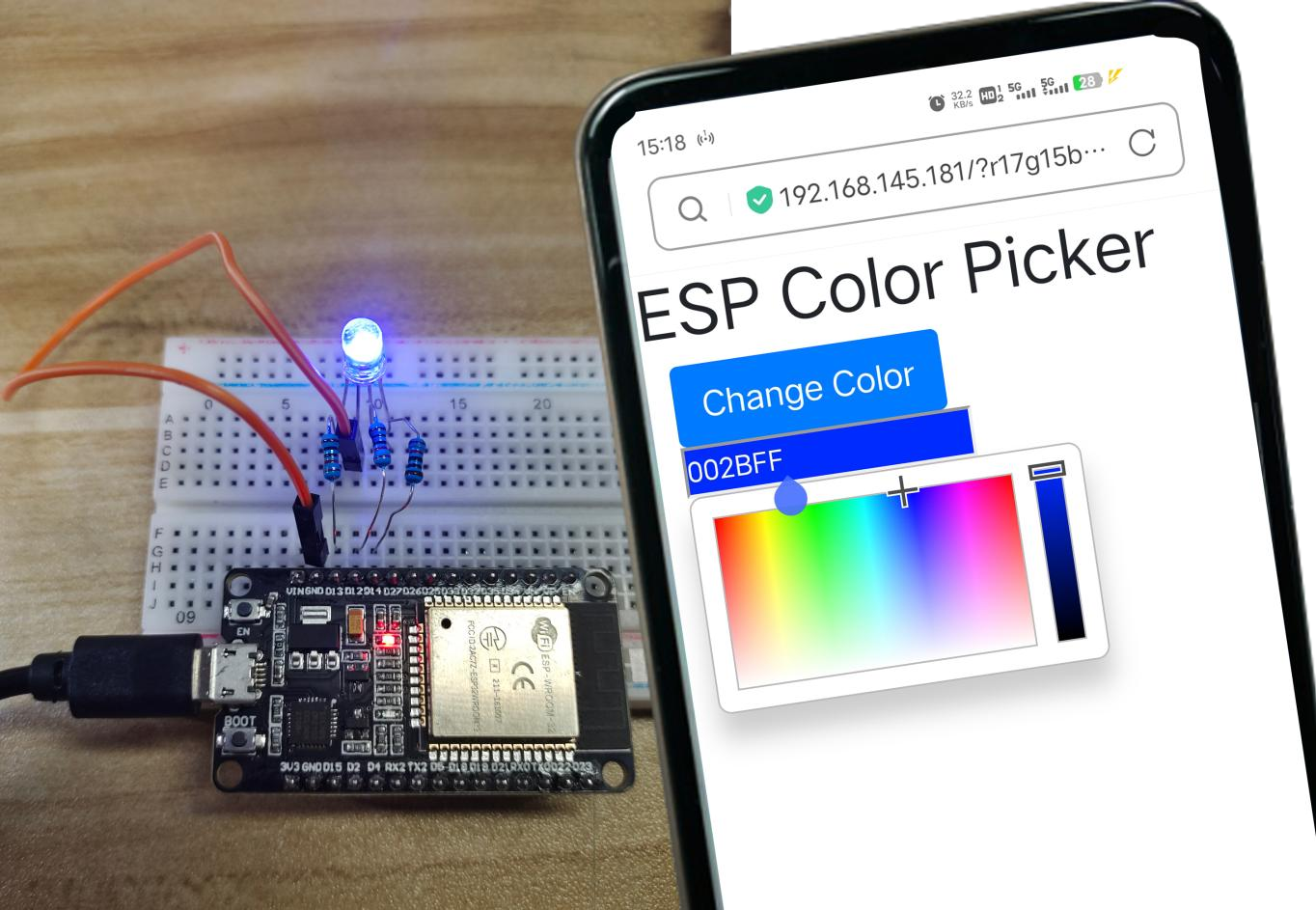
Open the address, pick a color, press Change Color. The log prints the exact R/G/B applied (added to the original sketch).
5 · Demonstration
6 · Troubleshooting
| Symptom | Likely cause | Fix |
|---|---|---|
| Page loads, no picker | No internet on the phone (CDN blocked) | Give the viewing device internet the first time |
| Only some colors work | A color leg mis‑wired | Check R/G/B → GPIO 13/12/14 |
| Colors inverted / odd | Common‑anode LED | This kit uses common‑cathode → shared leg to GND |
| Stuck on "Connecting…" | Wrong credentials / 5 GHz | Fix credentials; use 2.4 GHz |