PWM (Analog Output) — Fading an LED
Produce an analog‑looking output from a digital pin to smoothly fade an LED.
⬇ Download the sketch
Save
Project_3_ESP32_PWM.ino, then open it in the Arduino IDE (setup: Project 0b).
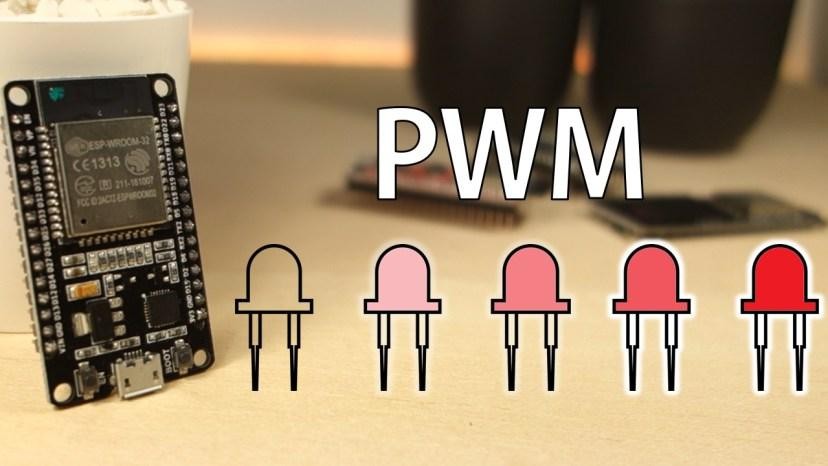
1 · What is PWM?
A digital pin is only ever fully ON (3.3 V) or OFF (0 V). But switch it on/off very fast and the LED's average brightness follows the fraction of time it's ON — the duty cycle:
0% · off
25% · dim
50% · medium
75% · bright
100% · full
The switching here is 5000 Hz — far faster than the eye — so you see steady brightness, not flicker. That's Pulse Width Modulation.
PWM also dims lights, sets motor speed, and (Project 6) mixes colors on an RGB LED.
2 · The ESP32 LED PWM controller
The ESP32 has a 16‑channel LED PWM controller. Configure a channel, attach it to a pin, then write a brightness:
ledcSetup(channel, freq, resolution);  // define a PWM channel
ledcAttachPin(gpio, channel);          // route the channel to a pin
ledcWrite(channel, dutyCycle);         // set brightness (0..255 at 8-bit)
ledcWrite() takes the channel, not the GPIO. (Newer cores also offer analogWrite(), but these calls work everywhere.)3 · Parts & wiring
| Qty | Part | Notes |
|---|---|---|
| 1 | ESP32 · breadboard · jumper wires | — |
| 1 | LED | Has polarity |
| 1 | 220 Ω resistor | Current limit |
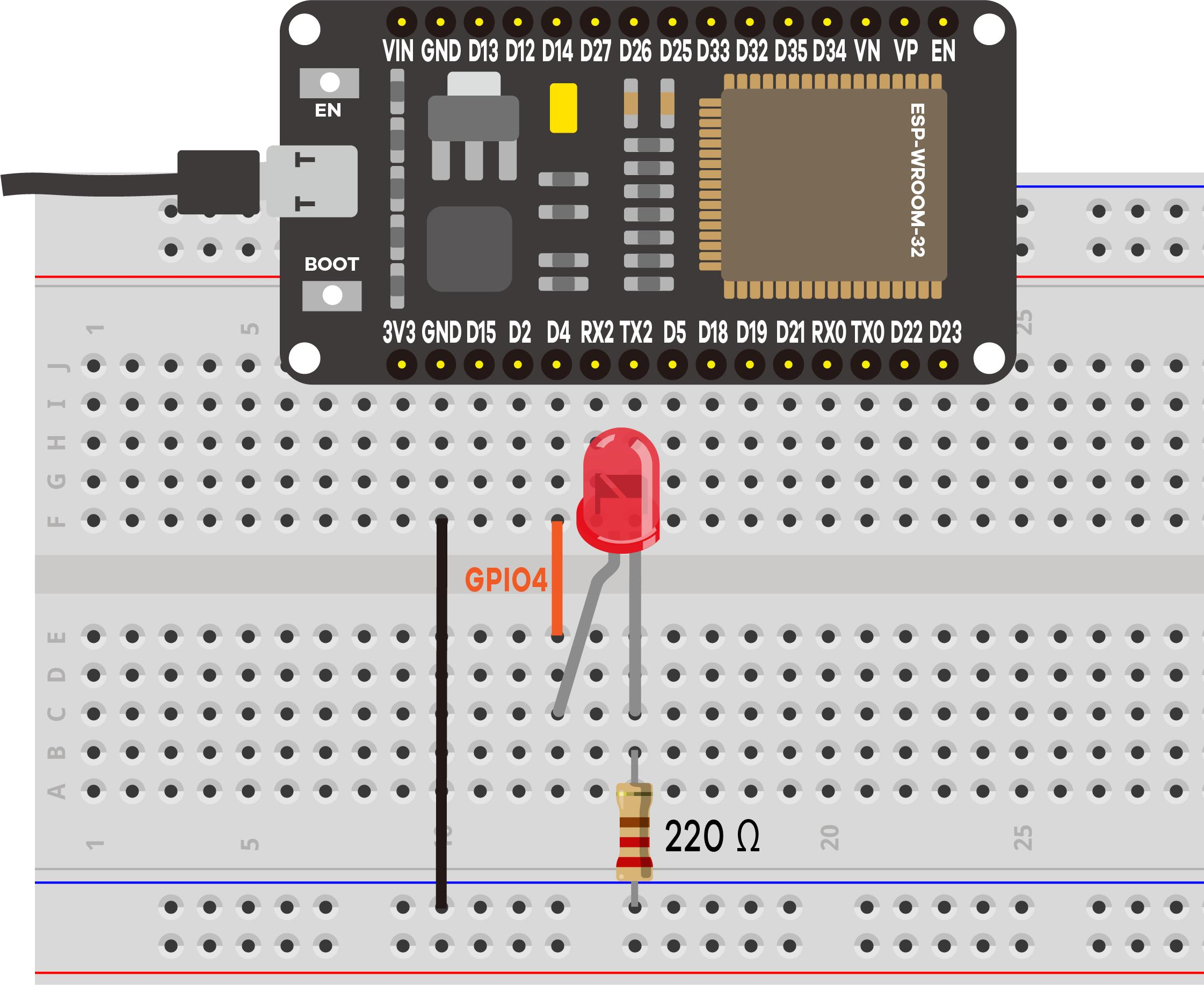
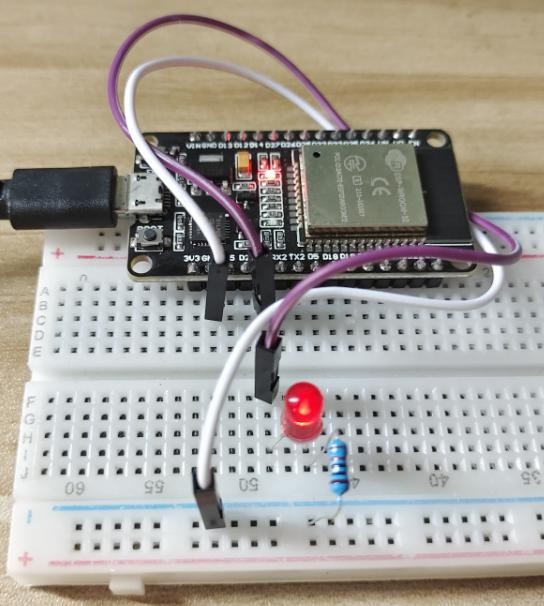
- GPIO 4 → 220 Ω → LED anode (long leg)
- LED cathode (short leg) → GND
4 · Code & expected serial output
The sketch ramps 0→255 then 255→0 in a loop, printing one line per direction change (printing all 256 steps would be noise). Open Serial Monitor at 115200:
==============================================
 Project 3: ESP32 PWM (Analog Output)
==============================================
LED (PWM) -> GPIO 4
PWM: 5000 Hz, channel 0, 8-bit (duty 0..255)
The LED should fade up and down continuously.
----------------------------------------------
Fading UP   (0 -> 255)
Fading DOWN (255 -> 0)
Fading UP   (0 -> 255)
...
5 · Demonstration
6 · Troubleshooting
| Symptom | Likely cause | Fix |
|---|---|---|
| LED off | Reversed LED or mis‑wired pin | Long leg toward the 220 Ω / GPIO 4 side |
| Full‑on, no fade | Didn't upload / wrong pin | Re‑upload; confirm LED on GPIO 4 |
| Fades but flickers | Frequency too low | Keep freq at 5000 Hz |
| Monitor blank | Wrong baud | Set it to 115200 |